


Your Class 11 batch starts at 6 pm. Twenty students sit in the room. Eight more join from home. A phone leans against a textbook, pointing at the whiteboard. By 6.20 pm, three of those eight have logged out.
Most owners meet this problem in the first week. The offline batch runs fine. The online batch quietly drains away. This guide shows you how to run hybrid coaching classes that work for both groups. Each step below gives you a decision, not a theory.
How to run hybrid coaching classes: Quick answer
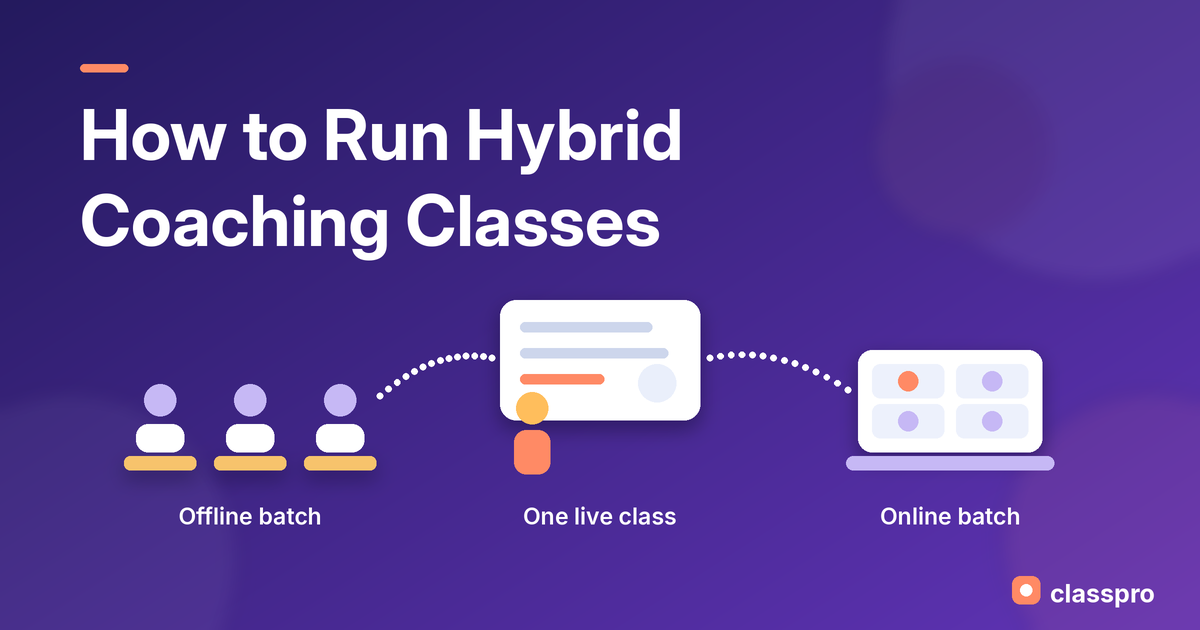
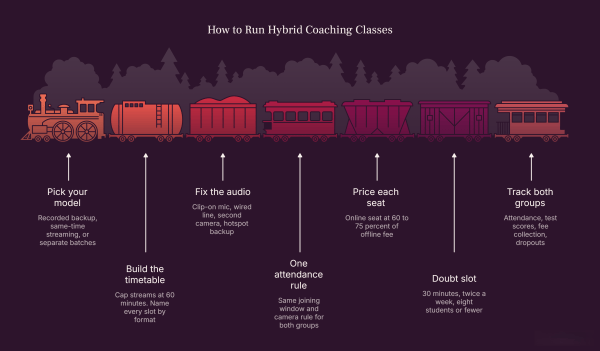
To run hybrid coaching classes, pick one model first: Same-time streaming, separate batches, or recorded backup. Then fix the audio, set one attendance rule, and price the online seat separately. Give online students their own doubt slot every week. Finally, review both groups on one report each month.
Why Indian coaching centres are going hybrid in 2026
India’s coaching market reached USD 7.2 billion in 2025. IMARC’s 2026 report projects USD 17.8 billion by 2034. That report now tracks hybrid models as a separate delivery mode. So hybrid is no longer a stopgap. It is a category that parents shop for.
Safety rules are pushing centres the same way. The Free Press Journal reported in July 2026 that Bhopal sealed eight coaching centres. Fire safety lapses and missing NOCs caused the action. Several institutes there moved to hybrid classes while they fixed their premises. So a hybrid batch also works as your backup plan.
Parents ask for flexibility now. A student who misses a class wants the recording. A family 12 km away wants two offline days, not six. Hybrid lets you say yes to both, so your catchment grows. Our guide on how parents discover coaching centres in 2026 shows how their search has shifted.
How to run hybrid coaching classes in 7 steps
1. Pick your hybrid coaching model before you buy equipment
Most owners buy a camera first. That order wastes money. Pick the model, then buy only what that model needs. Three models cover almost every Indian coaching centre.
Three hybrid coaching models
| Model | How it works | Best for |
|---|---|---|
| Easiest start Recorded backup | Everyone attends offline. You record and share for missed classes. | Centres trying hybrid for the first time |
| Most popular Same-time streaming | One teacher teaches the room. Online students join the same live class. | Centres with one strong teacher per subject |
| Highest cost Separate batches | Offline batch at 6 pm. Online batch at 8 pm, taught again. | Centres with spare teacher hours |
Start with recorded backup if you have never run online classes. It costs the least and breaks nothing. Then move to same-time streaming once your audio works. Separate batches cost the most, because you teach everything twice.
You can change model later, so do not overthink this choice. Many centres run recorded backup for one term, then stream the next. Tell parents clearly which model their fee buys. A vague promise of hybrid coaching classes creates refund arguments in month two.
2. Build a timetable that keeps the two groups apart
A hybrid coaching model fails most often on the timetable. Owners drop online students into a class built for the room. Then the online group waits while the teacher writes on the board.
Fix this with three timetable rules:
- Cap the live stream at 60 minutes: Attention drops faster on a screen than in a room.
- Add a 10-minute gap after every streamed class: Your teacher needs time to post the recording.
- Name every slot by format: Physics 6 pm Offline and Physics 8 pm Online stop link mix-ups.
Here is a hybrid week that works for a Class 11 science batch:
A hybrid week for a Class 11 science batch
| Day | Offline room | Online batch |
|---|---|---|
| Monday | Physics 6 pm | Live Live stream of the same class |
| Tuesday | Chemistry 6 pm | Recorded Recording shared by 9 pm |
| Wednesday | Maths 6 pm | Live Live stream of the same class |
| Thursday | Test 6 pm | Test Same test, open 6 pm to 8 pm |
| Friday | Doubt clearing 6 pm | Doubts Online doubt slot 8 pm |
| Saturday | Revision 6 pm | Recorded Recording shared by 9 pm |
Only three days carry a live stream. The rest run on recordings and one doubt slot.
Notice that only three days carry a live stream. The other days use recordings and one dedicated doubt slot. So your teacher streams three times a week, not six. That load separates a hybrid coaching model you keep from one you drop.
Send the joining link the same way every week. Notifications and Reminders can push that link an hour before class. Then your front desk stops answering link questions on WhatsApp all evening.
3. Fix your hybrid classroom setup for sound first
Students forgive a blurry board. They leave a class they cannot hear. So spend your first rupees on audio, not video.
Your hybrid classroom setup needs four things:
- A clip-on mic for the teacher: A collar mic beats any laptop microphone in a noisy room.
- A wired internet line: Wi-Fi drops mid-class, so run a LAN cable to the teaching machine.
- A second camera on the board: Two fixed cameras beat one camera that keeps zooming.
- A mobile hotspot as backup: Keep a charged phone with data on the teacher’s desk.
Check the student side too. TelecomLead reported in November 2026 on Ookla’s Q3 2026 India data. It found that 72.4% of Indian home broadband connections tested below 100 Mbps. So many of your students watch on a slow line. Keep a 480p option and always share the recording.
4. Use one attendance rule for both groups
Online students vanish when nobody marks them. Offline students know the register. Give both groups the same rule, or your online batch becomes optional.
Write the rule down and share it with parents. For example: Join within five minutes, keep the camera on, and answer one check-in question. Then mark absent anyone who fails all three.
Biometric Attendance handles your offline register. For the online batch, pull the join log from your class platform daily. Then enter both into one list. No student should hide between two systems.
Act on that data within a week. Call any online student who misses two sessions in a row. Ask about their internet, their timing, and their study space. In our experience, most online dropouts start with a fixable timing clash.
5. Price the online seat on its own
Many owners charge one fee for both seats. Online students then feel cheated, because they get less contact time. Offline parents feel cheated too, because they pay for the room and still share the teacher.
Price each seat for what it delivers:
- Offline seat: Full fee, because it includes the room, doubt time, and tests.
- Online seat: 60% to 75% of the offline fee, depending on live hours.
- Recorded-only seat: 40% to 50%, with no live doubt slot at all.
These ranges come from our experience with Classpro institutes. Treat them as a starting point, not a rule. Fee Management lets you set a different plan for each batch. It also chases late payments, so your online group does not slip.
6. Give online students a real doubt-clearing slot
This step decides whether hybrid works for you. Offline students raise a hand. Online students type a question nobody reads. Over three months, that gap shows up in their marks.
Book a 30-minute online doubt slot twice a week. Keep each slot small, with eight students or fewer. Our post on what every thriving coaching institute does explains why small groups change results.
Set one rule for written doubts as well. Promise a reply within 24 hours, then keep that promise. Students in hybrid coaching classes judge your institute on reply time. Slow replies cost you more admissions than weak teaching does.
Share notes the same hour, not the next day. Homework and Assignments pushes material to both groups at once. The Student and Parent App then lets a parent see what their child missed.
7. Track both groups on one dashboard
You cannot fix what you never compare. Most owners track the offline batch well and guess at the online one. So compare the two every month on four numbers:
- Attendance rate: A 15-point gap means your online slot timing is wrong.
- Test scores: A widening gap points to doubt clearing, not teaching.
- Fee collection: Online batches usually pay later, so watch the ageing.
- Dropouts by month: Most online dropouts happen in weeks three and four.
Student Performance holds the test scores for both groups. Reports then shows attendance and fees side by side. New to this kind of tool? Start with our explainer on coaching institute management software.
What a hybrid classroom setup costs in India
Hybrid classroom setup cost in India
| Setup | What you get | Typical cost |
|---|---|---|
| Tier 1 Starter | Collar mic, phone tripod, your existing laptop | ₹5,000 to ₹10,000 |
| Tier 2 Working | Collar mic, webcam, wired line, second screen | ₹25,000 to ₹45,000 |
| Tier 3 Full room | Two cameras, ceiling mics, capture card, backup line | ₹1.5 lakh and above |
Ranges come from our experience with Classpro institutes in 2026. Prices change by city and by brand.
These ranges come from our experience with Classpro institutes in 2026. Prices change by city and by brand. Start at the working level if you plan to stream live daily. The starter kit suits recorded backup only.
Who runs the camera while the teacher teaches
No teacher can teach a room and manage a stream at once. Something always slips. Either the board drifts off screen, or the chat sits unread. So assign this job before your first hybrid coaching class.
Your hybrid classroom setup needs a second pair of hands:
- A front-desk staff member: They start the stream, admit students, and watch the chat.
- A rotating student monitor: One offline student flags online questions each week, at no cost.
- A junior teacher: Best for test days, when both groups need watching closely.
Train that person for one hour, not one week. Walk them through starting the class, sharing the link, and saving the recording. Then run one practice class with no students in it. Most problems show up in that practice run, not in theory.
Common mistakes when you run online and offline classes together
Five mistakes cause most hybrid failures:
- Treating the online batch as a bonus: Students drop whatever you treat as optional.
- Teaching to the room only: Address the camera by name at least twice an hour.
- Charging one fee for both seats: Someone always feels cheated, and they tell other parents.
- Skipping the recording: Missed-class students are the reason you went hybrid.
- Running the stream on office Wi-Fi: The front desk uploads a file and your class freezes.
A wider catchment also brings more enquiries. Those enquiries still need a fast callback. Our guide on increasing leads for your coaching institute covers the follow-up side.
How to check whether your hybrid coaching model is working
Give it one full term before you judge. Six weeks tells you nothing useful. Then answer three questions with numbers, not feel.
First, does the online batch attend as well as the offline one? Second, do their test scores sit within five marks of the room? Third, does the online batch renew at the same rate?
Two yes answers mean hybrid suits your centre. One or zero means you fix doubt clearing first. Most centres find the problem there, not in the camera.
Conclusion: Start with one hybrid batch this month
Do not convert your whole institute at once. Pick one batch, one subject, and one willing teacher. Run it for six weeks with recordings and a weekly doubt slot. Then check attendance and marks before you add a second batch.
Hybrid works when your systems hold both groups. Want enquiries, fees, attendance, and reports in one place? Start your free Classpro trial or view Classpro plans and pricing.
FAQs
How to run hybrid coaching classes with only one teacher?
Use same-time streaming and keep the batch under 40 students. Clip a mic on the teacher and point a camera at the board. Then appoint one offline student as chat monitor each week. That student flags online questions, so your teacher watches one place.
Can a coaching institute run online and offline classes together?
Yes. Indian institutes run online and offline classes together every day. You need a clear model, one attendance rule, and separate fees. Several Bhopal centres moved this way in 2026 during fire safety checks.
What equipment do I need for a hybrid classroom setup?
Start with a clip-on mic, a tripod, and a wired internet line. Add a second camera for the board once your audio sounds clean. Keep a charged phone ready as a hotspot backup. You do not need a studio to begin.
Should online and offline students pay the same fee?
No. The online seat gives less contact time, so it should cost less. In our experience, 60% to 75% of the offline fee works well. Recorded-only access sits lower, at 40% to 50%.
How do I mark attendance for online students?
Set a joining window of five minutes and a camera-on rule. Pull the join log from your class platform after every session. Then merge it with your offline register the same day. One combined list stops students hiding between two systems.
Is a hybrid coaching model better than offline only?
It depends on your catchment. Hybrid helps when students travel far or miss classes often. Offline alone works better for small batches who live nearby. Test one batch for a term before you decide.