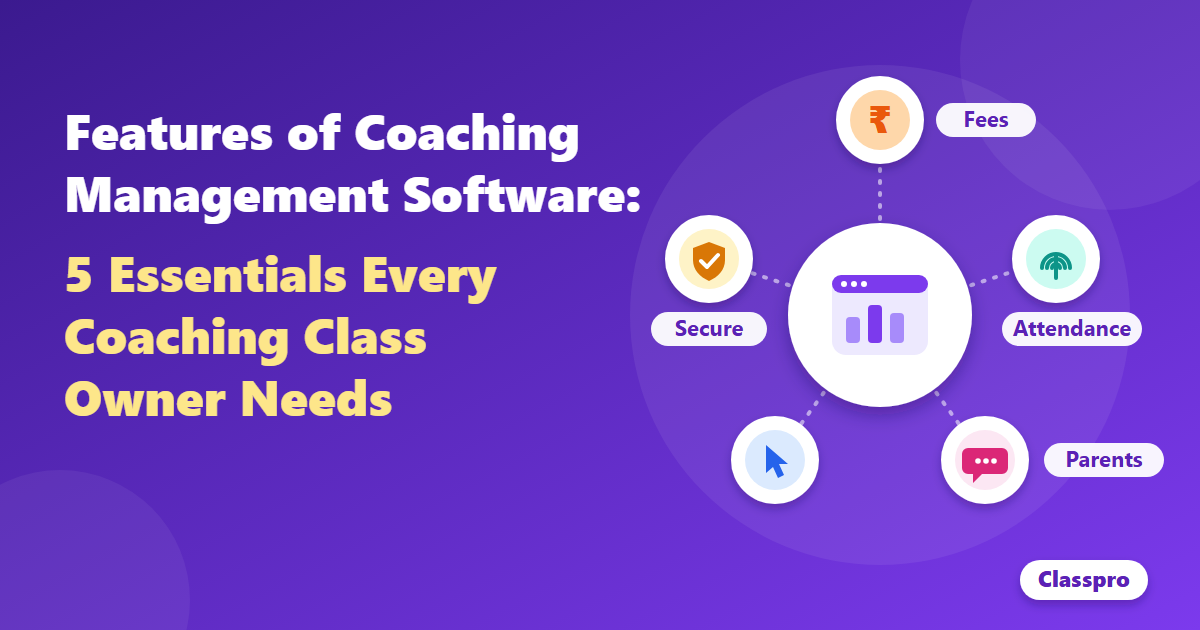



Picture a Sunday evening at your tuition centre. Classes are over, yet you still tally fees in a notebook and chase parents of absent students. Meanwhile, tomorrow’s lesson plan waits. A tuition management system fixes this by moving fees, attendance, and enquiries onto one screen. This guide shows which five tasks to automate first, so you can spend your hours teaching again.
What is a tuition management system?
A tuition management system is software that runs the business side of a tuition centre. It handles fee collection, attendance, enquiries, parent updates, and reports in one place. You get fewer registers, fewer missed follow-ups, and more time for teaching. Many centres also call it tuition management software or a tuition management app.
Think of it as a digital front office. Your staff record a payment once, and every report updates by itself. Parents see the same data on their phones. As a result, nobody has to ask who has paid this month.
A tuition management system is not the same as a learning management system. An LMS delivers lessons and tests online. In contrast, this software runs your centre’s daily operations. Many centres use both, but operations usually need fixing first.
Why tuition centres lose teaching time to admin work
Tuition centres lose teaching time because fees, attendance, and follow-ups depend on manual records. In our experience, educators spend 30% to 40% of their week on these tasks. Demand keeps rising, so the workload grows with every new batch. A tuition management system caps that load by automating repeat work.
Demand for tuition is not slowing down. The NSS survey for April to June 2025 covered Classes 11 and 12, says India Legal. It found that 44.6% of urban students and 33.1% of rural students took private tuition. More students mean more fee records, more attendance sheets, and more parent calls.
The market is growing too. IMARC valued India’s private tutoring market at USD 4.4 billion in 2025. It expects the market to reach USD 8.2 billion by 2034. Bigger centres need better systems to keep up.
Here is where the hours usually go:
- Fees: Writing receipts and chasing late payments.
- Attendance: Marking registers and calling parents of absent students.
- Enquiries: Tracking calls and walk-ins on paper or WhatsApp.
- Reports: Building progress summaries by hand each month.
5 tasks a tuition management system should automate first
Automate five tasks first: fee collection, attendance, enquiry follow-up, parent updates, and reports. These tasks repeat daily, cause the most errors, and use the most hours. Each one maps to a single feature in good tuition management software. Start with the task that hurts most, then add the rest.

1. Fee collection and reminders
Automated fee management records every payment, sends reminders, and prints receipts for you. Late fees drop because parents get a nudge before the due date. You also see pending dues by batch in seconds. Classpro’s fee management handles fees, dues, and reminders in one place.
2. Attendance tracking
Biometric attendance marks each student in seconds and removes proxy entries. You see attendance trends by batch without counting registers. With notifications on, parents can learn about an absence the same day. Biometric attendance feeds straight into your reports.
3. Enquiry and lead follow-up
Enquiry tracking logs every call and walk-in, then reminds your team to follow up. In our experience, leads that wait a week rarely join. A simple pipeline shows who enquired, who visited, and who enrolled. Enquiry and lead management keeps every follow-up on one list.
4. Parent and student updates
Automated updates send fee reminders, attendance alerts, and notices without manual calls. Parents stay informed, so they call you less. A parent and student app also lets families check progress anytime. Start with notifications and reminders, then add the student and parent app.
5. Reports and student performance
Reports turn daily records into owner-ready summaries across batches and branches. You see revenue, dues, and attendance without building spreadsheets. You can also track test results with student performance and share them with parents. The reports feature pulls it all together.
Here is how the work changes:
| Task | Manual way | With software |
|---|---|---|
| Fees | Notebook entries and phone reminders | Automatic reminders and receipts |
| Attendance | Paper registers | Biometric marking and daily reports |
| Enquiries | Calls noted on paper | One list with follow-up reminders |
| Parent updates | Individual calls | Automatic alerts and a parent app |
| Reports | Monthly spreadsheets | Live dashboards by batch |
Why starting with one module works
Starting with one module works because your team learns the system in small steps. In our experience, centres that begin with fees or attendance see results within the first month. Parents notice the change quickly, since reminders and receipts arrive on time. That early win builds trust for the next module.
Classpro’s co-founder, Jayesh Gopalan, suggests that hesitant educators begin with one module. Fees or attendance usually work best. Once the team trusts the first module, the next one feels easy. As a result, the full rollout stays calm instead of chaotic.
How to start a tuition management system without disrupting classes
Start with one module, run it for a month, then add the next. Pick the task that costs you the most time today. Move your student list, train two staff members, and tell parents what changes. Keep the first rollout small so classes never pause.
Follow these five steps:
- Pick one pain point: Choose fees or attendance, whichever drains more time.
- Add your data: Import student, batch, and fee details once.
- Train your team: Show two staff members the daily routine.
- Inform parents: Share the new reminders and app before they start.
- Review after 30 days: Check hours saved, then add the next module.
Classpro designs onboarding for educators who are not tech-savvy. Support also stays available after launch. Our post on why institutes resist ERP covers the common fears and how to handle them. If you want the basics first, read what coaching institute management software is.
4 mistakes to avoid when choosing tuition management software
The biggest mistakes are buying unused features, skipping a trial, and ignoring the parent experience. Each one wastes money or stalls adoption. Check these four points before you pay for any tool.
- Buying every feature at once: Pick modules that solve today’s problem, then add more.
- Skipping the free trial: Test fees and attendance with real data before you commit.
- Ignoring the parent view: If parents cannot see updates easily, adoption drops.
- Forgetting future branches: Choose a system that reports across branches if you plan to expand.
For a fuller checklist, read our guide on coaching management software mistakes to avoid. Each point matters more as you grow. You can also compare options in our list of the best coaching institute management software.
Where tuition management software is heading
Tools are moving toward predictive analytics, learning-progress tracking, and AI-driven planning. These tools will flag at-risk students early and suggest better batch schedules. Fees, attendance, and enquiries remain the foundation. Get those right before you chase advanced features.
Technology will not replace teacher attention. Our post on mentorship in thriving coaching institutes explains why personal attention still drives retention. Software simply frees the hours for it.
Conclusion: Start with one task this week
The right system gives your hours back. Pick one task from the list above, automate it, and measure the time you save. Then add the next module when your team is ready.
Ready to try it? Start your free trial and set up your first module today. You can also see Classpro plans and pricing first.
FAQs
What is a tuition management system?
A tuition management system is software that manages fees, attendance, enquiries, parent updates, and reports. It replaces notebooks and scattered spreadsheets with one shared record. Your team works faster, and parents get clearer updates.
How do I manage tuition classes better?
Automate the repeat tasks first: fees, attendance, and enquiry follow-up. Then track batch reports weekly. Finally, keep parents informed through automatic alerts. This frees your time for teaching and mentoring.
What is the best app for managing tuition classes?
Choose an app that covers fees, attendance, enquiries, and a parent app. Then test it with real data during a free trial. Classpro includes all four, and you can compare more options in our software comparison.
Can I manage tuition fees in Excel?
Yes, but it gets hard as you grow. Excel does not send reminders, print receipts, or link fees to attendance. You also risk errors when several staff edit one file. Dedicated software removes these problems.
Is tuition management software suitable for small centres?
Yes. Small centres often gain the most, because one person handles many tasks. Start with a single module, such as fees. Then add more as your batches grow.
How much does tuition management software cost?
Pricing depends on your student count and the modules you choose. Check the Classpro plans page for current details. You can also try the product free before you decide.