


It is 9 pm, and you are still matching fee receipts against a paper register. Meanwhile, two enquiry calls from today have gone unanswered. A parent also wants to know why nobody told them about Saturday’s test. Most coaching class owners know this evening well.
Coaching class automation software fixes this by handling the repeat work for you. It records attendance, sends fee reminders, tracks enquiries, and updates parents on its own. As a result, your team spends less time on registers and more time on students. This guide shows you seven ways it helps your institute grow.
What is coaching class automation software?
Coaching class automation software is a digital system that runs your routine admin tasks for you. It covers attendance, fees, enquiries, parent messages, and reports. Many owners also call it coaching class management software or coaching institute management software.
Think of it as a quiet assistant that never forgets a task. You set the rules once. For example, you choose when fee reminders go out. The software then follows those rules every day.
The demand for better systems is real. IMARC’s 2026 report values India’s coaching institutes market at USD 7.2 billion in 2025. It expects the market to reach USD 17.8 billion by 2034. As more institutes compete for the same students, slow manual admin holds you back.
New to this topic? Read our explainer on what coaching institute management software is first. It covers the basics in plain language. Then come back here for the benefits.
Quick answer: What does automation do for a coaching class?
- It saves daily admin hours: Software handles attendance, fee reminders, and parent updates without manual effort.
- It protects your revenue: Every enquiry and every pending fee gets a reminder, so fewer slip through.
- It builds parent trust: Parents see attendance, marks, and dues on time.
- It scales with you: A second batch or branch needs a few clicks, not a new register.
7 benefits of coaching class automation software
Automation helps most in seven areas: Attendance, fees, enquiries, parent updates, student data, costs, and admissions. Each area removes a manual task that eats your day. Together, they free you to focus on teaching and growth.
1. Faster, error-free attendance
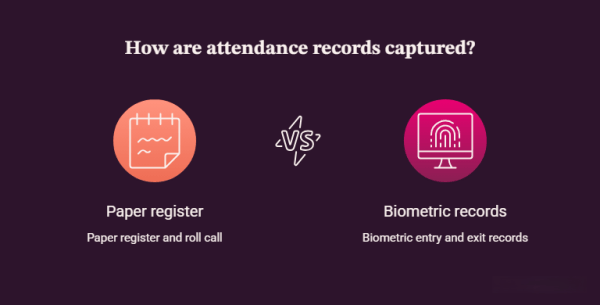
Biometric attendance records each student’s entry and exit without a roll call. The system stores every record on its own. Parents also receive an SMS when their child arrives or leaves.
Manual registers waste time. Teachers call names, tick boxes, and fix mistakes later. One slip during a roll call can trigger an hour of rechecking. Automation removes that loop completely.
Classpro’s biometric attendance feature sends entry and exit alerts to parents. Parents feel safer when your institute tells them where their child is. In our experience, this one alert also cuts “Was my child in class?” calls.
2. Better recovery of pending fees
Automated fee reminders reach parents before and after every due date. The software logs each payment the moment it arrives. You stop chasing parents by phone.
Fee chasing drains your front desk. Staff note dues in notebooks and call parents one by one. Meanwhile, genuine payments get lost in the paperwork.
With fee management, the system creates reminders and records payments for you. You can also pull fee reports for any date range. For more detail, read how a fee management system helps coaching institutes.
3. Higher enquiry conversion
Automation logs every enquiry in one place and reminds your team to follow up. Fast replies win admissions. NP Digital’s February 2026 survey of 500 marketers found that only 3% reply within five minutes.
The same survey found that 31% take 24 hours or more to reply. It covered marketers, not coaching classes. Still, the pattern matches what we see in institutes. An enquiry that waits a day often joins another centre.
Enquiries and lead management tracks each lead from first call to admission. As a tip, set a 30-minute callback rule for every new enquiry. Our guide to a lead management system for coaching admissions shows how to build it. You can read the NP Digital survey yourself.
4. Clear parent communication
Automation sends marks, attendance, and fee updates to parents at fixed times. Parents stop calling for basic information. Your team stops typing the same message again and again.
Parents want regular updates, but staff rarely have the time. So updates arrive late or not at all. Scheduled messages solve this problem. A monthly report on marks and attendance goes out without anyone remembering to send it.
Notifications and reminders cover SMS and alerts. The student and parent app gives families a live view of progress. Classpro also supports WhatsApp. Read the update on Classpro’s WhatsApp integration.
5. All student data in one place
A central database keeps marks, attendance, fees, and notes in one record per student. You find any detail in seconds. Reports then show you what needs attention.
Scattered Excel sheets cause arguments. One sheet says a student paid, and another says they did not. A single system ends that confusion. Every team member sees the same facts.
Reports give you owner-level dashboards on fees, attendance, and enquiries. Student performance tracks test results over time. Teachers can also share notes and assignments in the same system. Parents then see a more organised institute.
6. Lower costs and more time
Automation cuts repeat admin work, so the same tasks need fewer hours. Your staff then handle higher-value work. Reports also show where time and money leak.
Manual work carries hidden costs. Each extra hour of data entry adds salary, errors, and delays. Automation lets you spot slow steps and remove them. For example, you may find that fee follow-ups eat most of your front desk time.
Be realistic about the trade-off. Setup takes effort, because you must enter student and fee data once. Your staff also need a short training period. After that, the daily load drops.
7. Steady growth in admissions
Smooth service creates happy parents, and happy parents refer new students. Automation improves the daily experience that parents judge you on. That experience feeds word of mouth.
Word of mouth still drives most coaching admissions in India. Parents talk at school gates and in WhatsApp groups. They recommend institutes that communicate well and run on time. Automation makes that reliability a habit.
Over time, the gains stack up. Faster enquiry replies bring more admissions. Better fee recovery protects your cash flow. As a result, you can plan a new batch or branch with confidence.
Manual work vs coaching class automation software
Manual systems depend on people remembering every task. Automation depends on rules that run every day. The table below compares both approaches across five common tasks.
Task Manual approach With automation Attendance Paper register and roll call Biometric entry and exit records Fee reminders Phone calls and notebooks Scheduled reminders to parents Enquiries Phone diary or Excel sheet One lead list with follow-up alerts Parent updates Individual calls and messages Scheduled reports and app updates Reports Hours of compiling data Reports on demand
5 mistakes to avoid when you automate your coaching class
Most automation projects fail because of planning, not technology. The mistakes below appear again and again in institutes. You can avoid each one with a little preparation.
- Automating everything at once overloads your team. Start with attendance and fees, then add more.
- Skipping staff training creates resistance. Show your team how the software saves their time.
- Entering messy data at the start causes errors later. Clean your student and fee records first.
- Setting no follow-up rules wastes the tool. Decide who calls each enquiry and by when.
- Choosing on price alone leads to a poor fit. Check features, support, and ease of use too.
How to choose coaching institute management software
Choose software that solves your top three daily pain points first. Check that it covers attendance, fees, enquiries, and parent updates. Then test it with a free trial before you commit.
Start by listing the tasks that waste the most time in your institute. Next, ask each vendor to show those exact tasks live. Also check whether the software works well on mobile. Your staff and parents will use it daily.
For a side-by-side view, see our guide to the best coaching institute management software. It explains what to compare before you buy. Use it as a checklist during your demos.
Start automating your coaching class today
Begin with one task, such as fee reminders. Then add attendance and enquiries as your team gets comfortable. Ready to see it work? Start your free trial or view plans and pricing.
FAQs
What is coaching class automation software?
It is software that handles routine admin tasks in a coaching class. These tasks include attendance, fee reminders, enquiries, parent updates, and reports. You set the rules once, and the system runs them daily.
What tasks can coaching class automation software handle?
It handles attendance, fee collection, enquiry follow-ups, and parent messages. It also builds reports on marks, dues, and admissions. Some tools add homework sharing and a student app.
Is there free coaching class automation software?
Some tools offer free plans, but these often limit students or features. Free plans may also lack support. Classpro offers a free trial, so you can test it before you pay.
Will automation replace my office staff?
No. Automation removes repeat tasks, not people. Your staff then spend time on counselling, follow-ups, and student care.
Does coaching class management software suit small institutes?
Yes. Small institutes often gain the most, because one person usually does many jobs. Start with fees and attendance. Add more features as you grow.
How long does it take to set up?
Setup time depends on how much student and fee data you have. Plan for data entry and short staff training. After that, most daily tasks run on their own.