

It’s 6:30 pm, and your evening batch is half full. A parent calls to ask if their son reached class, and your teacher can’t say for sure. You flip through the paper register, but it doesn’t help much. A student attendance management system fixes this by recording every entry and exit automatically. This post covers what it does, five benefits for your institute, and how to start.
What is a student attendance management system?
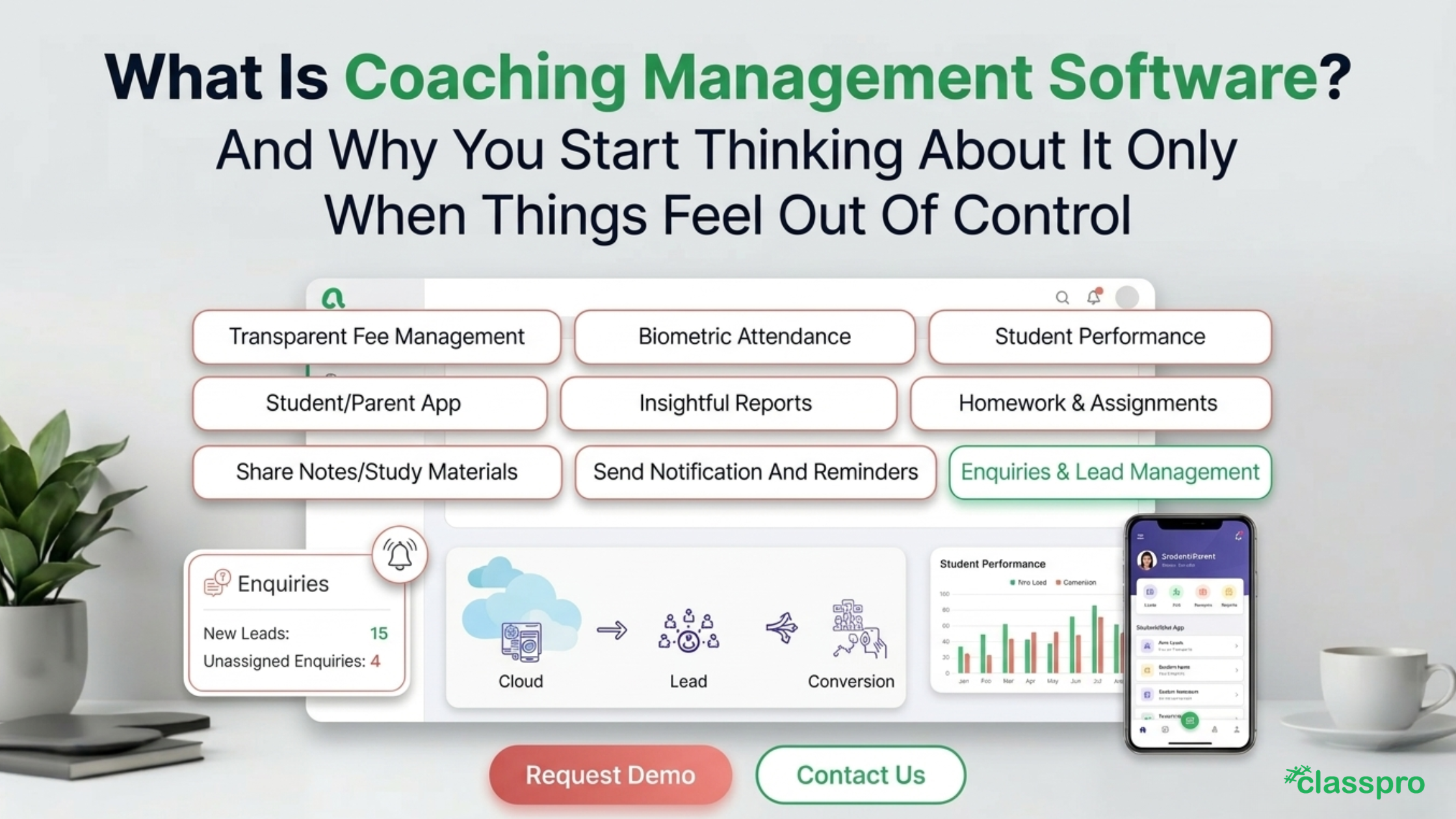
A student attendance management system records when each student enters and leaves your institute. It keeps the data in one place and sends alerts to parents. Students punch in with an RFID card or fingerprint, so nobody can sign in for a friend. With Attendpro, Classpro syncs those punches from an eSSL X990 machine into your biometric attendance records.
Why coaching classes need a student attendance management system
Paper registers work when you have one batch of twenty students. They stop working when you run six batches across two floors. Teachers mark attendance in a rush, and a few names always get missed. By month end, nobody trusts the numbers.
Absence is a problem well beyond coaching. The 74 covered a 2026 NWEA report that uses AEI absenteeism data for US schools. In 2025, about 23% of US students missed at least 10% of the year.
The figure covers the 45 states that had released data. It describes schools, so use it only as a rough signal. Daily tracking helps you step in after two or three missed classes.
Paper registers also create four everyday problems:
- Friends sign for each other: Nothing in a paper register proves who sat in class.
- Late arrivals go unrecorded: A student who walks in half an hour late still gets a tick.
- Parents hear too late: You often spot a week of absences only when fees are due.
- Reports eat your evenings: Someone totals every batch by hand at month end.
A student attendance management system fixes all four problems with one daily routine. Students punch in, parents get an alert, and your report builds itself. You spend your time teaching and counselling.
5 benefits of automatic attendance
Here are the five benefits you’ll notice first. Each one saves you time every day. Together they take attendance off your plate.
1. Automatic in and out alerts for parents
Every punch sends an SMS to the parent. They know when their child arrives and when they leave. Late arrivals and early exits no longer slip past you. You set up these notifications once, and they run every day.
2. Instant absentee alerts
When a student misses class, the system messages the parent automatically. You don’t have to call forty homes after the lecture. Parents can then explain the absence the same day. Meanwhile, your teachers can follow up before the next class. You can also reuse ready-made WhatsApp templates for these updates.
3. Automatic report generation
A student attendance system builds reports from the daily punches. You can see batch totals, student trends, and monthly summaries in one click. So you stop counting ticks at month end. Your reports also show which students are slipping, so you can act early.
4. Speed and accuracy
A student punches in with a card or fingerprint in a few seconds. That’s much faster than a teacher calling out forty names. A good student attendance tracking system records the exact time, so there’s no guessing. As a result, you cut paperwork and lose fewer minutes at the start of each lecture.
5. Easy access to data and filters
You can filter attendance by batch, date, or student. Need last Tuesday’s physics batch? You’ll have it in seconds. Parents also see real-time attendance in the parent app, on Android and iOS. Then you can compare attendance with test results in student performance records.
How RFID cards and fingerprints compare
Every attendance management system for coaching classes needs a way to identify students. You can use an RFID card or a fingerprint. Each option suits different batches.
| Factor | RFID card | Fingerprint |
|---|---|---|
| Proxy risk | A friend can carry a lent card |
Each student must be present |
| Speed | One tap |
One touch |
| Upkeep | Cards get lost or forgotten |
Wet or dirty fingers can fail |
In our experience, fingerprints work best when you want to stop proxy attendance completely. Cards suit younger batches, because small children find a card easier than a finger scan. However, many institutes pick one method and stay with it. Choose the one your students will use every day.
Mistakes to avoid when you start
Most problems with a student attendance management system start in the first week. Watch for these five:
- Missing parent numbers: Check that every student has a working mobile number before launch.
- Skipped enrolment: Register each student’s card or fingerprint on the machine before day one.
- One machine for every batch: Add a second machine if students queue at the door.
- No late rule: Decide how many minutes count as late, then set it once.
- No staff briefing: Show your front desk how to read the reports.
Fix these five and your first month runs smoothly. Keep attendance and fee management in one place, so you see who attends and who owes. For setup steps, follow the Attendpro guide. New to this? Read what coaching institute software does, then compare the best software options.
FAQs
How does a student attendance management system work?
Students punch in with an RFID card or fingerprint on a machine at your door. The machine sends each punch to the software. The software marks attendance, sends SMS alerts, and builds reports.
Do I need a biometric machine?
Yes, if you want automatic punching. Attendpro currently supports the eSSL X990 machine. Ask our team before you buy any hardware.
Does it send SMS alerts to parents?
Yes. Parents get an SMS when their child arrives, leaves, or misses class. You don’t need to call anyone.
Is RFID or fingerprint better for students?
It depends on your batches. Fingerprints stop proxy attendance more reliably, because students can’t lend them. Cards are quicker for younger students.
Can parents see attendance on their phones?
Yes. The Classpro parent app shows real-time attendance on Android and iOS. Parents don’t need to call your front desk.
Can a small coaching class use a student attendance system?
Yes. A single batch of twenty students can use a student attendance system too. Start with one machine and add more as you grow.
Conclusion
A student attendance management system gives you accurate records, quick reports, and calmer parents. You also stop chasing registers and start acting on real data. Your teachers get their time back for teaching.
Ready to try it? Start a free trial and watch attendance run itself. Prefer numbers first? See our pricing.